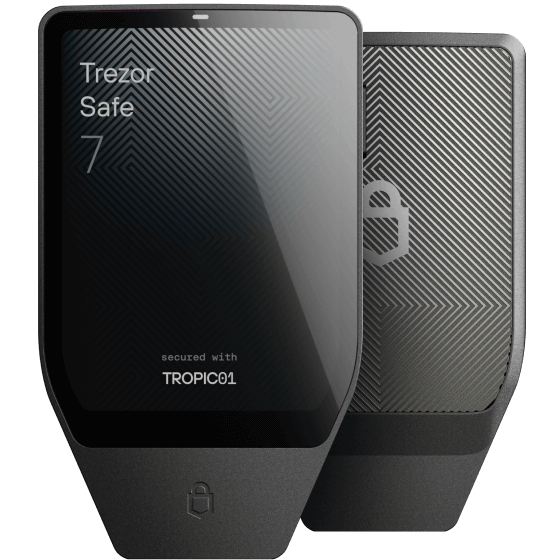
Modern 20-word Backup: Uses the secure SLIP-39 standard (Shamir Backup) for enhanced recovery options.
Trezor Suite Required: Initial setup and firmware installation must be done via the official Trezor Suite app (Desktop or Mobile).
Auditable Security: Features the first auditable Secure Element, combining open-source transparency with hardware-grade protection.
Mobile Ready: Fully supports Android and iOS via USB-C for seamless on-the-go wallet management.
Quantum Ready: The Trezor Safe 7 is designed with a next-gen Secure Element chip, making it quantum-ready for future security challenges.
Prerequisites
Trezor Safe 7 Device
USB-C Cable
Computer with Trezor Suite Desktop installed (updated)
Physical pen and paper (for seed phrase)
Step-by-Step Setup Guide
Unboxing Inspection: Confirm tamper-evident seals on the box are unbroken before opening.
Connectivity: Use the provided USB-C cable to connect your Trezor Safe 7 to your workstation.
Firmware Initialization: Open Trezor Suite and follow the prompt to install the latest, digitally-signed device firmware.
Wallet Creation: Choose "Create new wallet" in the suite interface.
Seed Phrase Security: Your device will show a series of words. Write these down exactly in order on your recovery card. Crucial: Store this physically offline; never take a photo or screenshot of these words.
Verification: Perform the seed verify step on the device to confirm you copied words correctly.
PIN Protection: Define a strong (4-9 digit) PIN on the device. This protects physical access if the device is lost.
Common Pitfalls
Digital Storage: Never save your recovery phrase in a password manager, email, or digital note app.
Third-party Sites: Only use official Trezor Suite software; never enter your seed phrase into any website prompt, even if it looks like Trezor's.
Fake Devices: If you did not buy directly from Trezor, inspect for hardware modifications before use.