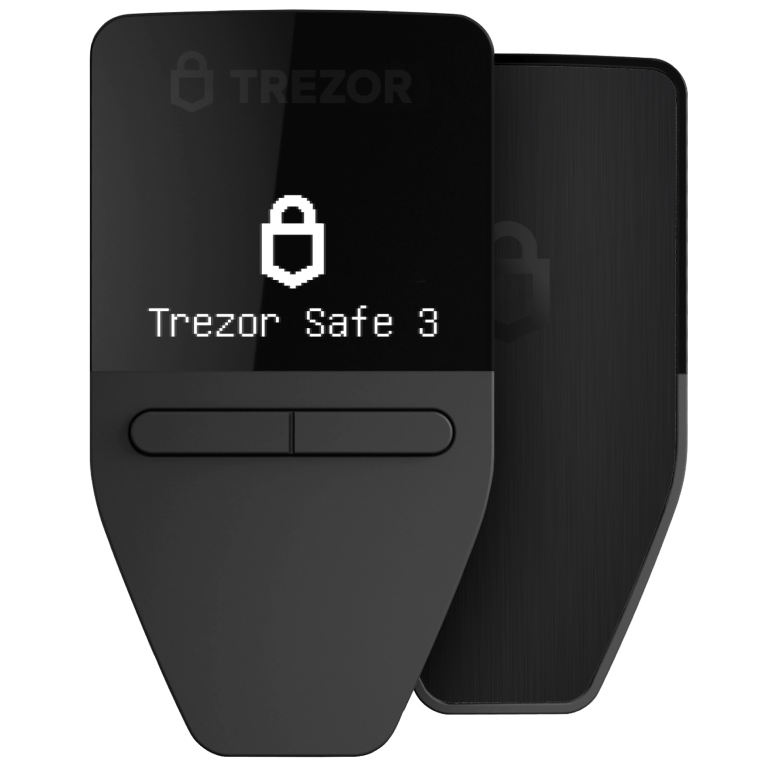
The Trezor Safe 3 Bitcoin-only (SKU SLATS3BT2 / MPN T2B1BTC) is the BTC-focused edition of Trezor’s entry Safe-series hardware wallet. It ships for Bitcoin management only: same EAL6+ Secure Element hardware as the universal Safe 3, but with a reduced firmware surface that never loads multi-coin code paths. Official list price (JSON-LD, USD storefront): $59, same as universal Safe 3.
Edition comparison: Universal vs Bitcoin-only Safe 3
| Feature | Safe 3 (Universal) | Safe 3 Bitcoin-only |
|---|---|---|
| Official name | Trezor Safe 3 | Trezor Safe 3 Bitcoin-only |
| SKU / MPN | SLATS3 / T2B1 | SLATS3BT2 / T2B1BTC |
| List price (USD LD) | $59 | $59 |
| Assets | Multi-coin & tokens via Trezor Suite / coins list | Bitcoin (BTC) only |
| Firmware focus | Universal multi-coin firmware | Bitcoin-only firmware (smaller attack surface) |
| Secure Element | NDA-free EAL6+ (Optiga) + STM32U5 | Same hardware stack |
| Display / input | 0.96″ monochrome OLED, 128×64, two-button UI | Identical |
| Connectivity | USB-C (wired; no Bluetooth) | USB-C (wired; no Bluetooth) |
| Suite experience | Coin & token management | Bitcoin management in Trezor Suite |
| Buyer fit | Holds alts / multi-chain portfolios | BTC-only holders / maximalist cold storage |
| Verified buyer rating (PDP) | ~4.5 / 5 (larger review base) | 4.6 / 5 (16 verified reviews on BO PDP) |
Bitcoin-only lineup context (official storefront)
| Model | SKU / MPN | List price (LD) | UI class | Best for |
|---|---|---|---|---|
| Safe 3 Bitcoin-only | SLATS3BT2 / T2B1BTC | $59 USD | 0.96″ mono + buttons | Affordable BTC-only SE wallet |
| Safe 5 Bitcoin-only | SLATS5BO / T3T1BTC | $129 USD | 1.54″ color touch + haptics | Touch UX, still BTC-only FW |
| Safe 7 Bitcoin-only | SLATS7BO / T3W1BTC | €249 / $249 class | 2.5″ high-res flagship | Premium BTC-only + advanced SE story |
Prices from Product JSON-LD on each official trezor.io PDP at research time — re-check the storefront before purchase; currency and promos vary by region.
Hardware & security specs (Safe 3 class)
| Spec | Detail |
|---|---|
| Secure Element | NDA-free EAL6+ Optiga SE + open-source design messaging |
| Application MCU | STM32U5 / STM32U5G ARM Cortex-M33 class (~160 MHz) |
| Display | 0.96″ monochromatic OLED, 128 × 64 pixels |
| Controls | Two physical buttons (no touchscreen, no haptics) |
| I/O | USB-C cable connection only (not wireless / not BLE) |
| Device size / weight | 59 × 32 × 7.4 mm / 14 g (2.3 × 1.3 × 0.3 in / 0.5 oz) |
| Package size / weight | ~145 × 92 × 21 mm / 66 g (retail box figures on PDP) |
| On-device security | PIN, optional passphrase (“hidden wallet”), on-device TX confirmation |
| Backup standards | 12 / 20 / 24-word wallet backup; Multi-share Backup (SLIP39 / Shamir-style) |
| Firmware shipping state | Devices ship without preloaded firmware — installed & authenticity-checked during first setup |
| Companion app | Trezor Suite (desktop + mobile) — Bitcoin flows on BO edition |
| Integrity packaging | Packaging + device security seals; verify before first power-on |
| In box (typical) | Device, USB-C cable, wallet backup card(s), get-started materials |
| Availability (LD) | InStock on official BO PDP; sample US shipping detail showed $0 rate / ~3 business days (region-dependent) |
Why Bitcoin-only firmware
- Smaller code surface: No multi-asset parsers, token apps, or altcoin transaction paths in the BO firmware image.
- Same SE hardware: EAL6+ Optiga protection is not removed — BO is a firmware/product SKU choice, not a weaker chip.
- Focused Suite UX: Marketing and app paths emphasize Bitcoin receive/send/backup rather than a full coin matrix.
- Open-source pedigree: Trezor continues to stress auditable design + firmware authenticity checks at setup.
- Self-custody vs exchange: Keys stay offline on-device; exchange insolvency / withdrawal freezes do not hold your seed.
Prerequisites
- Computer or phone that can run current Trezor Suite (desktop preferred for first-time wallet creation).
- Genuine device purchased from trezor.io/trezor-safe-3-bitcoin-only or an authorized reseller.
- USB-C port or quality adapter; keep the included cable for first setup.
- Pen and a safe offline place for the wallet backup words (never photo/cloud/password-manager screenshots).
- Uninterrupted time (~15–30 minutes) for firmware install, backup write-down, and PIN setup.
Step-by-step setup
- Inspect packaging seals on the box and device. If seals look tampered, stop and contact Trezor support — do not initialize.
- Download Trezor Suite only from trezor.io/trezor-suite (or the official web app path Suite offers). Avoid third-party “Suite” APKs/mirrors.
- Connect the Safe 3 via USB-C. Suite should detect a blank device (no factory firmware).
- Install firmware when prompted. Confirm the authenticity / fingerprint checks Suite displays on both computer and device screen.
- Create a new wallet (or recover with an existing backup only if you intentionally migrate). Prefer a fresh wallet for a new device.
- Write the wallet backup (12 / 20 / 24 words, or configure Multi-share if you understand the share threshold). Confirm words on the device when asked. Never type the backup into a website.
- Set a strong PIN on the device. Optionally enable a passphrase for an extra hidden wallet — store the passphrase with the same care as the backup.
- Create a Bitcoin account in Suite, display a receive address, and verify the full address on the Safe 3 OLED before sharing it.
- Send a small test transaction first. Confirm amount and address on-device, wait for confirmations, then move larger balances.
- Store backups offline (ideally metal backup for fire/water resistance). Keep the device PIN private; the device alone without backup/PIN/passphrase knowledge should not unlock funds.
Platform & workflow compatibility
| Surface | Safe 3 Bitcoin-only notes |
|---|---|
| Trezor Suite desktop | Primary setup path; firmware install + full backup flow |
| Trezor Suite mobile | Portfolio checks / on-the-go management after desktop init (device still USB for signing workflows as Suite requires) |
| Third-party BTC wallets | Many Electrum-class / Suite-listed partners can use Trezor as signer — only connect after Suite authenticity is proven |
| Altcoins / ERC-20 / SOL etc. | Not in scope on Bitcoin-only firmware — choose universal Safe 3 (or another model) if you need them |
| Bluetooth / battery | None — always USB-C powered session |
| FIDO / 2FA | Trezor line supports 2FA use-cases on capable firmware builds; treat as secondary to BTC custody goals and verify in Suite for your FW version |
Common pitfalls
- Buying used / marketplace “new” units: Prefer official store. If used, wipe only with caution and never trust a device that already shows a seed you did not create.
- Entering seed on a computer or phishing site: Genuine setup never asks you to type the full backup into a webpage to “validate.”
- Skipping on-device address check: Malware can swap receive addresses in the desktop UI — the OLED is the source of truth.
- Choosing BO while still holding alts: You will need another wallet/device for non-BTC assets; universal Safe 3 is the multi-asset twin at the same $59 LD price.
- Confusing Safe 3 with Safe 5 / Safe 7: Safe 3 is monochrome + buttons, not the 1.54″ or 2.5″ color touch models.
- Photographing or cloud-syncing the backup: Treat words like bearer cash.
- Losing passphrase: Passphrase wallets are unrecoverable without the exact passphrase even if the 12/20/24 words are correct.
- Ignoring firmware authenticity warnings: Abort and reinstall Suite from trezor.io if verification fails.
Quick chooser: Bitcoin-only or universal?
Answer one question — we’ll recommend the Safe 3 edition that matches your portfolio.
Do you need to store or sign for any asset other than Bitcoin (ETH, stablecoins, alt L1s, etc.) on this device?
Setup readiness checklist
Tick each item before moving significant BTC. Progress updates automatically.
Checklist empty — start with purchase authenticity.
Sources
- https://trezor.io/trezor-safe-3-bitcoin-only (Product JSON-LD: SKU, MPN, $59 USD, InStock, rating)
- https://trezor.io/trezor-safe-3 (universal twin PDP / specs)
- https://trezor.io/trezor-safe-5-bitcoin-only / Safe 7 BO (lineup pricing context)
- https://trezor.io/compare
- https://trezor.io/trezor-suite
- https://trezor.io/store
Research snapshot: August 2026. Firmware capabilities and storefront prices change — verify on-device prompts and official PDPs before acting.