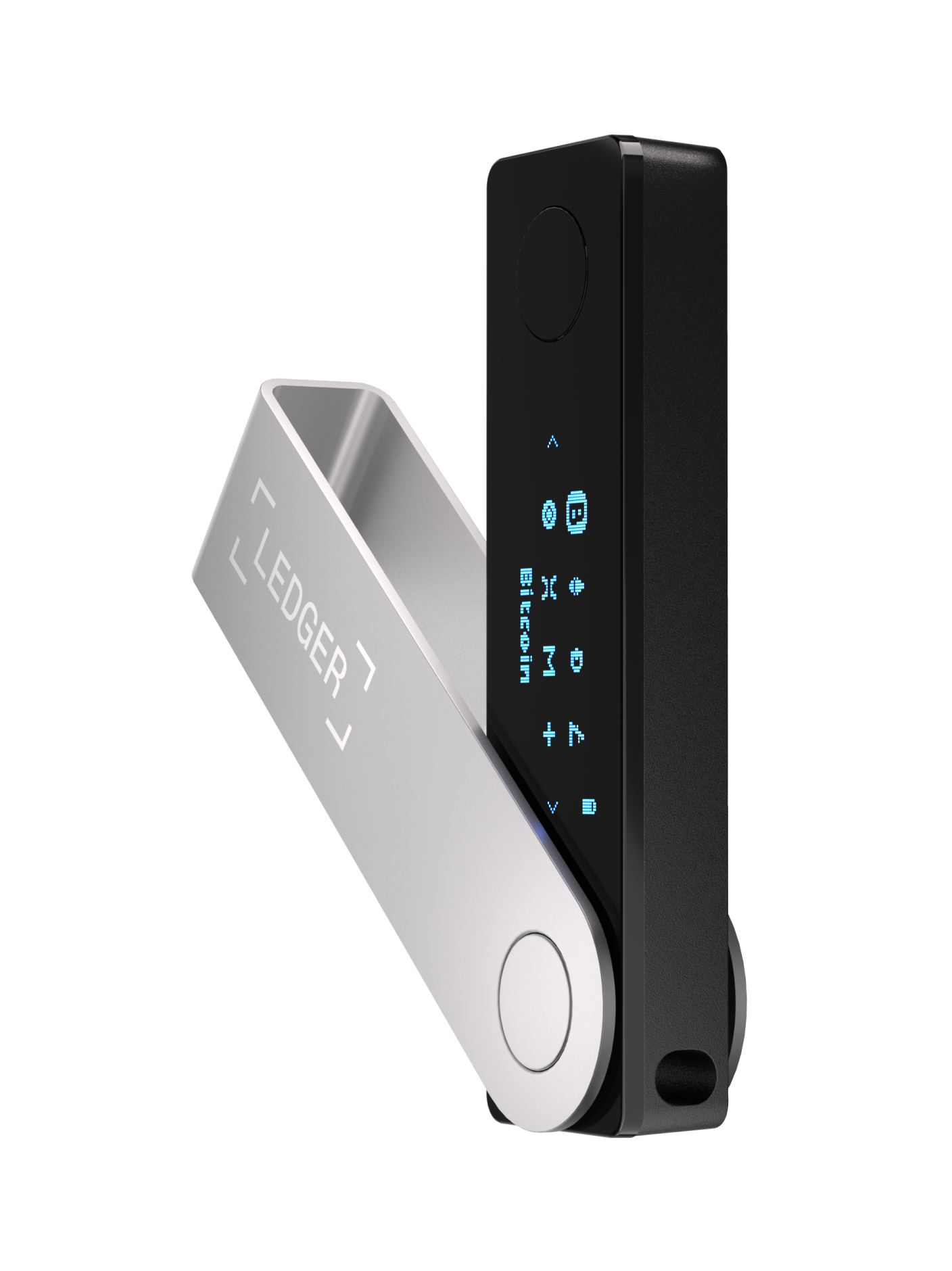
Ledger Live → Ledger Wallet
Ledger Live has been rebranded to Ledger Wallet™, the official companion app for Ledger hardware signers. Private keys stay offline on the device; the app is the interface for portfolio management, installs, and third-party buy/swap/stake flows.
Key features
- Self-custody hub — View balances and manage accounts while private keys never leave the Ledger signer.
- Send & receive — Thousands of coins/tokens across 100+ chains (BTC, ETH, SOL, XRP, USDT, USDC, ADA, DOT, and more).
- Buy / sell / swap — Compare 50+ providers; marketing highlights gas-free swaps and stablecoin yield options via partners.
- Staking & earn — Stake assets such as ETH, SOL, ATOM, DOT, TON, and selected stablecoins through providers (e.g. Lido, Kiln, Figment). Rewards are not guaranteed.
- Clear Signing & Transaction Check — Human-readable transaction details on supported touchscreen signers before you approve.
- My Ledger — Install/update coin apps and firmware on the connected device.
- Discover (Web3) — Curated dApps; Wallet can connect directly in many dApps without a separate browser extension.
- NFT gallery — View, send, receive, and manage NFTs via integrated marketplaces.
- CL Card hooks — Spend crypto at scale (Ledger cites ~90M merchants) with cashback in BTC or stablecoins where the card is available.
- No cloud login — Portfolio data lives on your computer/phone; you do not sign in with email/password for basic wallet use.
Device compatibility
Ledger Wallet is built for Ledger hardware signers. Connection mode depends on the model and OS.
| Device | Desktop (USB) | iOS (Bluetooth) | Android (USB-OTG / BLE*) | Notes |
|---|---|---|---|---|
| Ledger Stax | Yes | Yes | Yes | Touchscreen signer; BLE supported with Ledger Wallet mobile |
| Ledger Flex | Yes | Yes | Yes | Touchscreen signer; BLE supported |
| Ledger Nano Gen5 | Yes | Yes* | Yes | Current Nano line; confirm BLE pairing in-app for your firmware |
| Ledger Nano X | Yes | Yes | Yes | BLE + USB; long-standing mobile companion device |
| Ledger Nano S Plus | Yes | No | USB-OTG | Official copy: does not work with iOS; use desktop or Android USB |
| Ledger Nano S (classic) | Yes (legacy) | No | Limited / USB | USB-only; prefer desktop. Firmware/app support may lag newer models |
*Bluetooth® support is marketed for all Ledger touchscreen signers with the mobile app. Always verify the address and amount on the device screen before approving.
Platform & download matrix
| Platform | Channel | Version / build (verified) | Requirements | Official link |
|---|---|---|---|---|
| Windows | Desktop installer | ledger-live-desktop-4.15.0-win-x64.exe |
64-bit Windows; admin install may be required | download.live.ledger.com/latest/win |
| macOS | Desktop DMG | ledger-live-desktop-4.15.0-mac.dmg (~299 MB) |
Recent macOS; allow app in Privacy & Security if Gatekeeper prompts | download.live.ledger.com/latest/mac |
| Linux | AppImage | ledger-live-desktop-4.15.0-linux-x86_64.AppImage |
x86_64; may need udev rules for USB device access | download.live.ledger.com/latest/linux |
| iPhone / iPad | App Store | App version 4.14 (Aug 2026); listing title “Ledger Wallet™ crypto app” | iOS / iPadOS 15.1+; ~139 MB; bundle com.ledger.live |
App Store id 1361671700 |
| Android | Google Play | Ledger Wallet™ crypto app; package com.ledger.live (1M+ installs) |
USB-OTG and/or BLE depending on device model | Play Store – com.ledger.live |
Hub pages: shop.ledger.com/pages/ledger-wallet and ledger.com/start. Open-source monorepo: GitHub LedgerHQ/ledger-live (desktop tag @ledgerhq/live-desktop@4.15.0, mobile live-mobile@4.14.0).
Download security checklist
- Download only from ledger.com / shop.ledger.com,
download.live.ledger.com, Apple App Store, or Google Play — never from ads, Telegram, or “support” DMs. - On mobile, confirm package/bundle id
com.ledger.liveand developer Ledger SAS. - On desktop, prefer the official
latest/win|mac|linuxredirects; filename should matchledger-live-desktop-VERSION-…. - Complete the in-app Genuine check when pairing a new or reset device.
- Ledger / Ledger Wallet will never ask you to type your 24-word recovery phrase into the app or a website.
- Always verify recipient address and amounts on the hardware screen (Clear Signing where available).
- Install firmware and app updates from My Ledger inside the official app, not random “update” executables.
- Bookmark official URLs; fake “Ledger Live” sites are a common drain vector.
Prerequisites
- Genuine Ledger device (bought from Ledger or an authorized reseller).
- Computer or phone meeting the OS minimums above, plus a stable internet connection.
- Official Ledger Wallet / Live install from the matrix above.
- Pen and paper (or an approved backup method) for the recovery phrase — stored offline, never photographed or cloud-synced.
- For Android USB devices: a working OTG cable/adapter; for BLE models: Bluetooth enabled.
Step-by-step setup
- Install Ledger Wallet — Use the official desktop redirect or store listing. Open the app (formerly Ledger Live).
- Get started — Choose set up a new device, restore with recovery phrase, or connect an already-initialized device.
- Power on & choose language — Follow the device on-screen prompts.
- Set a PIN — Pick a PIN you will remember; three wrong PINs typically reset the device.
- Write the recovery phrase — Copy all words in order on the recovery sheet. This backup controls your funds if the device is lost.
- Confirm the phrase on-device — Complete the word confirmation quiz on the signer.
- Connect to the app — USB on desktop; Bluetooth or USB-OTG on mobile (model-dependent). Unlock with PIN when prompted.
- Run Genuine check — Confirm the device is authentic via the app before moving funds.
- Open My Ledger — Install firmware updates if offered, then install the coin apps you need (Bitcoin, Ethereum, etc.).
- Add accounts — In the app, add accounts for each asset; receive to an address you have verified on the device display.
- Optional services — Buy, swap, stake, Discover dApps, or card features only after you understand third-party provider fees and risks.
Tip: click steps or checklist items to mark them done (progress is saved in this browser tab).
Common pitfalls
- Seed phrase on a website or in chat — Instant loss risk. Legitimate Ledger flows never require entering the full recovery phrase on a computer except during a deliberate device restore in the official app with the device present.
- iOS + Nano S Plus — Not supported. Use desktop or Android USB, or a BLE-capable touchscreen/Nano X-class device.
- Sideloaded APK / cracked desktop build — High malware risk; stick to App Store, Play Store, or
download.live.ledger.com. - Approving blind smart-contract prompts — Read Clear Signing / Transaction Check output; reject unknown spend approvals.
- Third-party buy/swap/stake fees — Rates and availability vary by provider and region; Ledger does not guarantee rewards.
- Name confusion — “Ledger Live”, “Ledger Wallet”, and desktop filenames with
ledger-live-desktoprefer to the same product family after rebrand—verify publisher and domain, not marketing name alone. - Linux udev permissions — Device not detected until user rules allow HID access; fix OS permissions rather than buying “fix” software.
What you can do after setup
| Action | Where in app | Keys / custody | Watch-outs |
|---|---|---|---|
| Receive crypto | Account → Receive | Address derived on device | Match every character on the signer screen |
| Send crypto | Account → Send | Signed on device | Network fees; wrong network = lost funds |
| Buy / swap | Buy / Swap (providers) | Non-custodial destination accounts when withdrawing to Ledger | KYC/geo limits; compare quotes across 50+ providers |
| Stake | Earn / Stake flows | Typically remains on your accounts; provider-specific | Lockups, slashing, variable APY; rewards not guaranteed |
| dApps | Discover / Wallet connect-in-dApp | Approvals signed on device | Unlimited token allowances; revoke when done |
| NFTs | NFT gallery / marketplaces | On-device signatures | Spam NFTs / malicious mint sites |
Sources
- Ledger Wallet product page (ex. Ledger Live)
- Official Ledger Wallet download / start page
- Desktop latest – Windows, macOS, Linux
- Apple App Store – Ledger Wallet™ (id 1361671700)
- Google Play – com.ledger.live
- GitHub releases – LedgerHQ/ledger-live
- Supported coins & tokens
- iTunes Lookup API: track 1361671700 (version 4.14, iOS 15.1+, Aug 2026)
Fees, provider lists, staking yields, and card availability are region- and partner-dependent—re-check in-app quotes before transacting.