Keystone 3 Pro
The Keystone 3 Pro features 3 PCI security elements, a massive 4-inch color touchscreen, and signs transactions securely via QR codes offline.
What you should know about Keystone 3 Pro
- Air-gapped security: Uses QR codes for 100% offline transaction signing to keep private keys isolated.
- Triple Secure Elements: Built with three distinct secure chips for maximum hardware protection.
- Open source firmware: Fully transparent code allows for community verification and greater trust.
- 4-inch color touchscreen: Features a large, clear display for easy verification of transaction details.
Pros & Cons
Strengths
- + Large 4-inch color touchscreen for clarity
- + Triple Secure Element chips for high security
- + Full-stack open source (firmware and hardware)
- + Air-gapped QR code transaction signing
- + Supports Shamir Backup (SLIP39)
Weaknesses
- - Relatively bulky compared to smaller wallets
- - Battery life can be limited by the large screen
- - Requires external wallets for many features
Facts about the Keystone 3 Pro
Keystone 3 Pro FAQ
How does the Keystone 3 Pro ensure complete offline security during transactions?
The Keystone 3 Pro utilizes an air-gapped QR code system, meaning it never has to connect to Wi-Fi, Bluetooth, or USB to transfer data. You can sign transactions purely by scanning QR codes between your phone or computer and the device's 4.0-inch color touchscreen, eliminating network-based attack vectors.
What makes the security architecture of the Keystone 3 Pro unique compared to other hardware wallets?
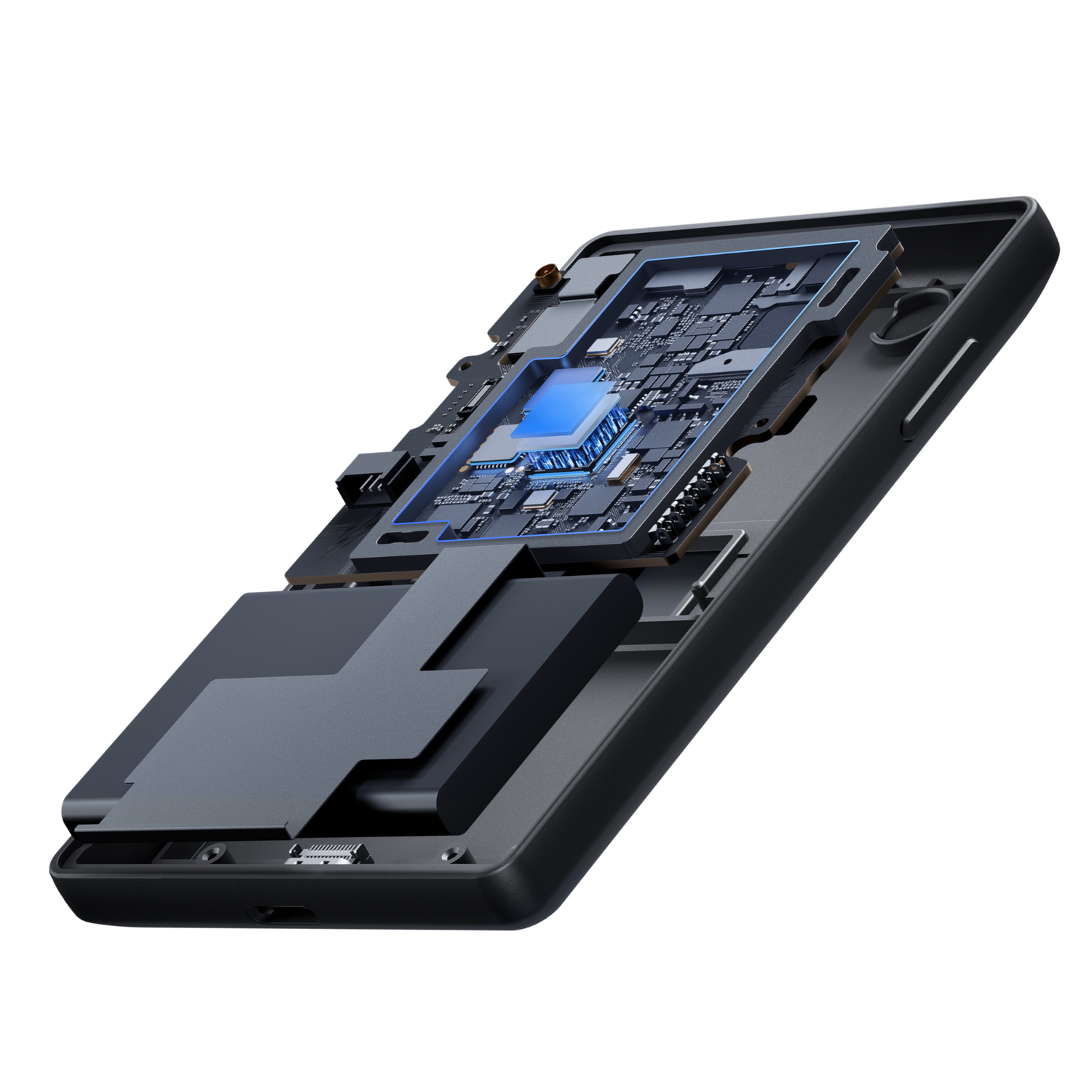
It features three separate PCI-grade Secure Elements: Microchip ATECC608B, Maxim DS28S60, and Maxim MAX32520. This multi-chip design provides military-grade protection for recovery phrases and biometric data, mitigating risks associated with relying on a single chip manufacturer.
Can I use biometric authentication on the Keystone 3 Pro?
Yes, the device includes a fingerprint scanner located on the back. This allows you to quickly unlock the wallet and approve transactions, adding a layer of convenience while maintaining high security standards.
Which cryptocurrencies and third-party software wallets are compatible with this device?
The Keystone 3 Pro supports over 5,500 coins and tokens across more than 200 blockchains. It seamlessly integrates with leading Web3 wallets, including MetaMask, OKX Web3, and Keplr, making it highly versatile for decentralized finance and web3 applications.
Is it possible to use the Keystone 3 Pro with a wired connection if I prefer not to use QR codes?
While its primary feature is air-gapped QR code communication, the Keystone 3 Pro does support USB-C connectivity. This allows for battery charging and gives users the option to use a wired connection for managing assets if they choose to do so.
Why buy the Keystone 3 Pro
The Keystone 3 Pro differentiates itself from single-chip, button-first cold wallets such as the Ledger Nano X and Trezor Safe 5 with a triple Secure Element architecture: Microchip ATECC608B protects the recovery phrase, Maxim DS28S60 hardens the trusted storage environment, and Maxim MAX32520 secures fingerprint biometrics. Keystone pairs that stack with PCI-grade anti-tamper that can destroy internal data if the device is disassembled, plus fully open-source firmware and hardware designs (with published third-party audit work) so the security model can be independently reviewed.
It also keeps a strict air-gapped operating model—no Bluetooth, Wi‑Fi, or NFC data path—signing and companion-wallet links via QR codes (and optional MicroSD) while USB-C is used for charging. A large 4-inch color LCD touchscreen (480×800) shows full transaction details to reduce blind signing, with fingerprint unlock, multi-seed and Shamir backup options, and deep software-wallet reach including full MetaMask extension and app support plus 45+ other wallets across 5,500+ assets.
Keystone 3 Pro FAQ
How does the Keystone 3 Pro's triple Secure Element architecture enhance physical security compared to traditional single-chip wallets?
Keystone 3 Pro is built around three specialized Secure Element chips with separate roles: Microchip ATECC608B protects the recovery phrase, Maxim DS28S60 creates a trusted environment for recovery storage, and Maxim MAX32520 secures fingerprint biometrics on the Pro model. Spreading critical secrets across chips from different vendors reduces single-chip failure risk. The design also includes PCI-grade tamper-reactive protection that can destroy internal data if the device is physically disassembled, plus open-source firmware and hardware so the security model can be independently reviewed.
Can the Keystone 3 Pro function entirely offline without ever connecting to a computer via USB or Bluetooth?
Yes for day-to-day signing: Keystone 3 Pro is designed as an air-gapped cold wallet. Transaction data moves via dynamic QR codes and optional MicroSD transfer—there is no Bluetooth, Wi‑Fi, or NFC data path. Private keys stay offline on the device. A USB-C port is present for charging and, when Air-Gap Mode is disabled, firmware updates via WebUSB; that connector is not required for normal air-gapped signing with a companion software wallet.
How does the fingerprint biometric scanner integrate into the transaction signing process, and is this data secure?
The Pro model’s fingerprint sensor lets you unlock the device and authorize actions without repeatedly typing a long PIN. Biometric templates are handled by the dedicated MAX32520 Secure Element and stored only on-device—they are not sent to the blockchain, companion apps, or any cloud service. Fingerprint convenience sits on top of PIN/seed controls; it does not replace proper backup of your recovery phrase (including multi-share/Shamir options supported on device).
What are the advantages of the 4.0-inch color touchscreen when verifying complex Web3 transactions?
The 4-inch full-color LCD touchscreen (shop-spec 480×800 TFT) is large enough to show full transaction and smart-contract details before you approve—Keystone markets this as eliminating blind signing. That screen real estate matters for PSBTs, multi-step DeFi calls, and multi-account workflows, and the touch UI pairs with MetaMask and 45+ software wallets across 5,500+ assets on the product positioning.
How does the device manage power consumption given the large display, and what is the battery capacity?
Official tech specs list a rechargeable Li-ion 1000 mAh / 3.7 Wh pack (charge at 5V/1A) powering the 4-inch touch panel and security hardware. Recharge is via the included USB-C cable. The box includes the device, USB-C cable, manual, and six seed sheets; a MicroSD card is not included by default if you want offline file transfer.